Upload 30 beats. Schedule a full month.
Upload your beats once and plan an entire month of releases in minutes — fast, simple, and built for consistency.
Upload 30 beats in one go
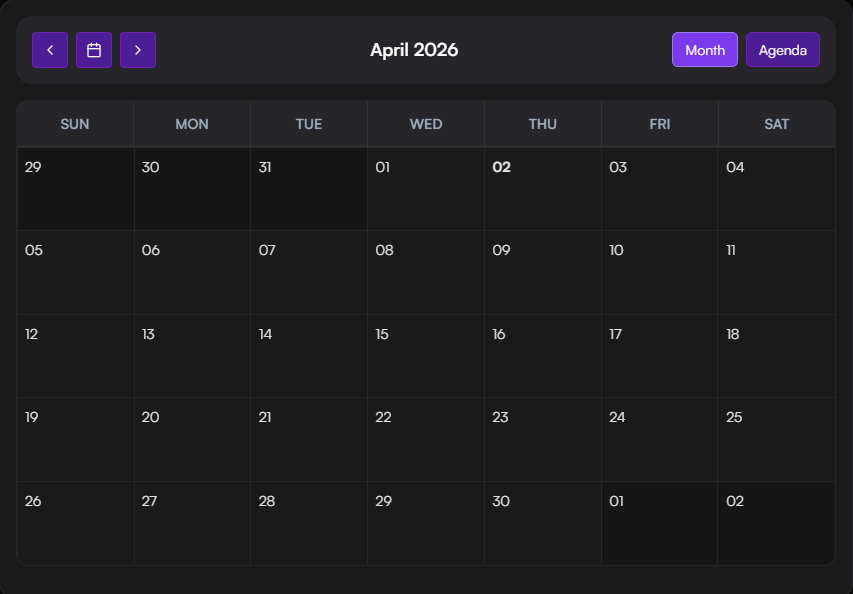
Schedule a full month of releases
Save hours of manual work
Keep a consistent upload flow
Best for: planning and uploading 20–30 beats for a full month
dark-trap-beat.mp3
2:45 • 4.2 MB
BPM
140
Key
F#m
Waveform
No passwords - ever.
BeatLoadr connects via YouTube OAuth. You can revoke access anytime from Google. Payments are handled by Stripe or PayPal - we never see your card details.
YouTube OAuth
Secure connection
Stripe / PayPal
Trusted payments
Revoke Anytime
Full control
View security details →
Metadata that writes itself.
Use variables and logic to generate titles, descriptions, hashtags, and tags - without copy/paste.
Auto-fill titles with variables
Conditional descriptions
Tag limits enforced
Best for: channels uploading daily with consistent titles
Title Template
TEMPLATE
PREVIEW
140 BPM F#m Type Beat - Dark Trap Beat
DESCRIPTION
📥 Download: [link]
🔥 Free for non-profit use
AVAILABLE VARIABLES
Automation-first workflow - designed for type beat channels.
See how BeatLoadr compares to manual uploads or cobbling together multiple tools.
BeatLoadr
Manual / Multiple Tools
Batch upload (20+ beats)
Batch upload (20+ beats)
✗
Auto BPM & key detection
Auto BPM & key detection
✗
Template-based metadata
Template-based metadata
✗
Visual scheduling calendar
Visual scheduling calendar
✗
Automated video rendering
Automated video rendering
✗
YouTube OAuth publish
YouTube OAuth publish
✗
Render and publish without babysitting.
Generate videos automatically while tracking progress and errors in a clear queue interface.
Queue with clear statuses
Multiple aspect ratios
Optional audio normalization
Best for: generating 20+ videos overnight
Render Queue
4 items • 1 rendering
Active
dark-trap-beat.mp4
Completed
100%
melodic-drill-beat.mp4
Rendering...
67%
hard-808-beat.mp4
Queued
0%
ambient-type-beat.mp4
Queued
0%
Connected via OAuth
My Beat Channel
12.4K subscribers
24
Published
8
Scheduled
Publish via OAuth - no passwords.
Connect your channel and upload with one click - templates applied automatically.
Secure OAuth connection
Channel verification display
Upload status tracking
Best for: automated publishing with no manual intervention
How it works in practice
Upload beats in batches, auto-generate metadata, schedule weeks ahead, then publish via secure YouTube OAuth.
10–20
minutes weekly
7–30
beats scheduled
100%
consistent
Group beats for one upload session
Create a batch and keep related tracks together
Drag in audio + covers
Upload audio files and artwork with drag-and-drop
Get BPM + key automatically
Auto-analysis detects BPM, key, and generates waveform
Generate titles, descriptions, tags
Apply templates with variables like {{track.bpm}}
Plan weeks ahead on a calendar
Drag tracks onto dates and see your full schedule
Render videos in a queue
Track progress and statuses for every render
Upload to YouTube via OAuth
Publish securely without sharing passwords
Before vs after BeatLoadr
Before
❌
30–60 minutes per upload session
❌
Copy/paste titles and tags
❌
Missed upload weeks
❌
Inconsistent branding
After
✅
Batch once, schedule weeks
✅
Templates keep metadata consistent
✅
Queue shows progress and errors
✅
Publish via OAuth, no passwords